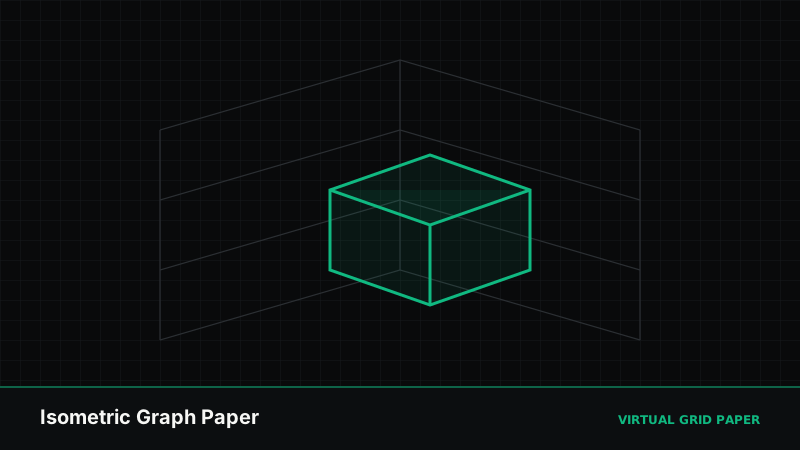
Drawing something three-dimensional on ordinary square paper means constantly guessing at angles and depth. Isometric graph paper removes the guesswork: its triangular grid gives you three built-in directions, so boxes, machines, and rooms come out with consistent proportions and a convincing sense of depth.
This guide explains how isometric paper works, how to use its grid to draw 3D forms, how it differs from perspective drawing, and how to generate your own isometric sheets on the printable graph paper generator.
Key Takeaways
- Isometric paper uses a 60° triangular grid with three axis directions.
- Parallel lines stay parallel — scale is constant along each axis.
- Ideal for 3D, mechanical, product, and architectural drawing.
- Generate and print isometric sheets online for free.
Table of Contents
- How the Isometric Grid Works
- Drawing Your First 3D Box
- Building More Complex Forms
- Isometric vs. Perspective
- Generating Isometric Paper Online
- Common Mistakes
- Frequently Asked Questions
1. How the Isometric Grid Works
A square grid has two directions: horizontal and vertical. An isometric grid has three. Instead of a lattice of squares, it is built from equilateral triangles, with lines running at 60° to each other. Those three directions correspond to the three axes of a 3D object: up (vertical), and two “ground” directions that read as depth going back-left and back-right.
The defining property is that isometric projection keeps parallel lines parallel. A cube’s edges that are parallel in reality stay parallel on the page and never converge. Equally important, scale is constant along each axis: one grid step always means the same real distance whether the edge is near or far. That is what makes isometric paper so useful for technical work — you can measure directly off the drawing.
2. Drawing Your First 3D Box
A box is the “hello world” of isometric drawing, and the grid does most of the work:
- Draw the near vertical edge. Pick a point and draw a short vertical line straight down along the grid. This is the corner of the box closest to you.
- Extend the two top edges. From the top of that vertical, follow the grid’s two diagonal directions — one heading up-left, one heading up-right. These become the top edges of the box.
- Extend the two bottom edges. From the bottom of the vertical, follow the same two diagonal directions for the same number of grid steps.
- Close the top face. From the far ends of the two top edges, draw diagonals again to meet at the back-top corner.
- Drop the far verticals. Add the remaining vertical edges to close the side faces.
Because every edge followed a 60° grid line and you counted equal steps, the box has correct isometric proportions with no measuring by eye.
3. Building More Complex Forms
Once the box makes sense, more elaborate objects are just combinations and subtractions of boxes:
- Stacked and joined boxes build stairs, furniture, and buildings — align new boxes to the same grid lines so faces stay coplanar.
- Cut-outs (notches, holes, recesses) are drawn by stepping inward along the grid and dropping edges, keeping every new line on one of the three axes.
- Cylinders and curves are harder: circles become ellipses on isometric faces. Sketch the enclosing isometric square first, then inscribe the ellipse touching the midpoints of its sides.
The discipline is always the same — keep every straight edge on one of the three grid directions, and count steps rather than guessing lengths.
4. Isometric vs. Perspective
The two systems solve the same problem — showing depth on a flat page — in opposite ways.
| Aspect | Isometric | Perspective |
|---|---|---|
| Parallel edges | Stay parallel | Converge to vanishing points |
| Scale with distance | Constant | Shrinks farther away |
| Measurable off the page | Yes | No |
| Looks like the eye sees | No (slightly “flat”) | Yes (naturalistic) |
| Best for | Technical, product, game art | Realistic scenes, illustration |
Isometric trades photographic realism for measurability and consistency, which is exactly why engineers, product designers, and pixel/game artists favour it. If you want the naturalistic look instead, that is the domain of perspective — see square, triangular, isometric, and perspective grids for how the grid families compare.
5. Generating Isometric Paper Online
You do not need to buy specialised pads. Two Virtual Grid Paper tools produce isometric sheets:
- The printable graph paper generator offers an isometric style alongside square, dot, and hexagonal grids. Choose your paper size (A4, Letter, and more), set the density, and download a print-accurate PDF or print directly.
- The A4 graph paper generator includes isometric among its eight grid types and exports pure vector PDF and SVG at true 1:1 A4 scale — the better choice when you need razor-sharp lines for drafting.
Generate isometric graph paper
Open the printable graph paper generator →Whichever tool you pick, set the print scale to 100% (Actual size) so the grid measures correctly — the details are in printing graph paper at 100% actual size.
6. Common Mistakes
- Drifting off the 60° lines, which quietly distorts the whole drawing. Keep every straight edge on a grid direction.
- Unequal step counts on edges that should match, leaving faces skewed.
- Drawing circles as circles on angled faces — on isometric faces they must be ellipses.
- Expecting perspective foreshortening — isometric deliberately has none, so distant edges are the same length as near ones.
When to Use Isometric Paper
Reach for isometric whenever you need to show three dimensions with consistent, measurable proportions: product and industrial design, mechanical parts, architectural massing, game tiles and pixel art, and technical illustration. For flat 2D graphing, coordinate work, or plain note-taking, a square or dot grid is the better fit — the trade-offs are laid out in square vs. dot vs. isometric graph paper.
Related Tools and Guides
- Square vs. dot vs. isometric graph paper
- A4 graph paper generator guide
- Square, triangular, isometric, and perspective grids
- How to create printable graph paper online
Conclusion
Isometric graph paper turns 3D drawing from guesswork into a matter of following three directions and counting steps. Its parallel lines and constant scale keep proportions honest, which is why it underpins so much technical and design work. Generate a sheet in the isometric style, print it at true size, and start with a simple box — the grid handles the geometry so you can focus on the form.
Frequently Asked Questions
What is isometric graph paper?
Isometric graph paper uses a triangular grid of lines set at 60-degree angles rather than a square lattice. The three axis directions let you draw three-dimensional objects with consistent proportions and depth.
How do I draw a 3D box on isometric paper?
Draw a vertical line for the near edge, then follow the grid’s two diagonal directions to extend the top and side faces. Because all edges follow the 60-degree lines, the box keeps correct isometric proportions.
Is isometric the same as perspective drawing?
No. Isometric keeps parallel lines parallel and does not converge to a vanishing point, so scale stays constant along each axis. Perspective drawing converges lines to vanishing points to mimic how the eye sees depth.
Can I print isometric graph paper for free?
Yes. The printable graph paper generator and the A4 graph paper tool both offer an isometric style you can customize and download or print at no cost.