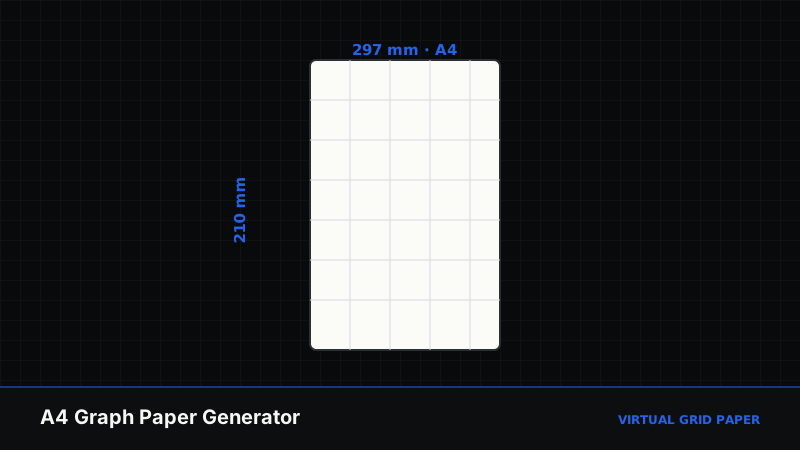
Most online graph paper is a flat image sized to fit a page. The Virtual Grid Paper A4 graph paper generator is different: it produces true 1:1 ISO 216 sheets and exports them as pure vector PDF and SVG, so the lines stay razor-sharp at any scale and measure exactly right when printed. It also goes far beyond a plain square grid, offering eight grid types plus drafting features like title blocks and crop marks.
This guide covers the generator end to end — the grid types, how to size and style them, the professional drafting extras, and the export options that set it apart.
Key Takeaways
- 8 grid types: square, millimeter, engineering, dot, isometric, hexagonal, polar, logarithmic.
- True 1:1 A4 (210 × 297 mm) so printed grids measure exactly.
- Pure vector PDF and SVG export, plus PNG and direct print.
- Drafting extras: title blocks, crop marks, calibration scale, axes, and presets.
Table of Contents
- What Makes This Generator Different
- The Eight Grid Types
- Sizing, Spacing, and Subdivisions
- Drafting Features: Title Blocks and Crop Marks
- Presets for a Fast Start
- Exporting Vector PDF, SVG, and PNG
- Frequently Asked Questions
1. What Makes This Generator Different
Two things: scale accuracy and vector output. Because the sheet follows the ISO 216 A4 standard of 210 × 297 mm, a 5 mm grid printed at 100% really is 5 mm. And because export is pure vector rather than a rasterized image, the grid scales to A3 or a large-format plot without the lines going fuzzy. That combination is what makes it suitable for genuine drafting rather than casual note paper.
If you simply want a quick printable sheet across several paper sizes, the printable graph paper generator is the friendlier option. Choose the A4 tool when precision and vector output matter.
2. The Eight Grid Types
The generator covers eight distinct grids:
| Grid type | Best for |
|---|---|
| Square | General math, homework, plotting |
| Millimeter | Fine engineering and metric precision |
| Engineering | Quarter-inch / imperial computation |
| Dot | Bullet journals, clean sketches, UI wireframes |
| Isometric | 3D technical drawing and tile design |
| Hexagonal | Chemistry, strategy maps, tiling |
| Polar | Trigonometry, radar, angular plots |
| Logarithmic | Bode plots, acoustics, growth curves |
For a conceptual overview of these families, see square, triangular, isometric, and perspective grids and our dedicated isometric graph paper guide.
3. Sizing, Spacing, and Subdivisions
You control the grid precisely:
- Units in mm, cm, or inches.
- Primary spacing — the main cell size, such as 5 mm or 0.25 in.
- Subdivisions — finer lines inside each cell (for example 1 mm lines inside a 5 mm cell).
- Major lines every N cells — bolder lines that make counting easy, such as every 5 cells (25 mm).
- Line style and color — solid, dashed, or dotted, in your chosen palette, on a paper color of your choice (including a blueprint navy).
This granularity lets you reproduce specific real-world paper — French millimeter paper, engineering quad, or a classic blueprint — exactly.
Build a precise A4 sheet
Open the A4 graph paper generator →4. Drafting Features: Title Blocks and Crop Marks
Beyond the grid itself, the generator includes touches drafters expect:
- Header / title block — an optional panel with fields for title, name, date, scale, and page number, in minimal, boxed, or classic-drafting styles.
- Crop marks — corner marks for trimming to exact size.
- Calibration scale — a printed reference (such as a 5 cm bar) so you can verify your printer output at true size.
- Axes — optional labelled X/Y axes with an origin at the center or bottom-left, and arrowheads.
These make the output look and function like professional drafting paper, not just a grid.
5. Presets for a Fast Start
If you do not want to configure everything by hand, the generator ships with ready-made presets, including a 5 mm math quad, French millimeter (1-5-10), engineering quarter-inch, dot bullet-journal, isometric 3D, hexagonal, polar coordinate (15° rays), semi-log, and a classic blueprint with a title block. Pick one as a starting point and tweak from there.
6. Exporting Vector PDF, SVG, and PNG
When your sheet is ready, export it as:
- Vector PDF — sharp at any size, ideal for printing at true scale.
- Vector SVG — for design software and further editing.
- PNG — a high-resolution image when a raster file is needed.
- Print — send it straight to your printer.
Because the PDF and SVG are true vector, they remain crisp whether you print A4 at home or scale up to a large plot. Set your printer to 100% (not “Fit to page,” which silently shrinks the grid by a few percent) to preserve the exact dimensions. The quickest way to confirm: enable the calibration scale, print, and measure the printed bar with a ruler — if the 5 cm bar reads 5 cm, every cell is true. This is the same principle covered in printing at actual size.
When to Use the A4 Generator
Choose it for drafting, engineering, precise metric or imperial work, and any time you need vector output or true 1:1 scale. For casual sheets across multiple paper sizes, use the printable generator; for drawing on a grid rather than printing one, use the drawing canvas.
Related Tools and Guides
- How to create printable graph paper online
- How to use isometric graph paper
- A4 graph paper size explained
- Print graph paper at 100% actual size
Conclusion
The A4 graph paper generator is the precision option: eight grid types, true ISO 216 scale, drafting features like title blocks and crop marks, and pure vector PDF and SVG export. Whether you are drawing a metric engineering sheet, an isometric layout, or a polar plot, it produces output that measures exactly and scales without loss.
Frequently Asked Questions
How many grid types does the A4 generator offer?
Eight: square, millimeter, engineering, dot, isometric, hexagonal, polar, and logarithmic. Each can be customized for spacing, subdivisions, colors, and major lines.
Does it export true vector files?
Yes. The A4 generator exports pure vector PDF and SVG files, which stay perfectly sharp at any scale, plus a high-resolution PNG and a direct print option.
Is the output true A4 size?
Yes. Sheets follow the ISO 216 standard at 210 × 297 mm, so when printed at 100% the grid measures exactly as specified — ideal for drafting and measurement.
Can I add a title block or crop marks?
Yes. You can enable a header/title block with fields like title, name, date, and scale, and add crop marks and a calibration scale for professional drafting output.