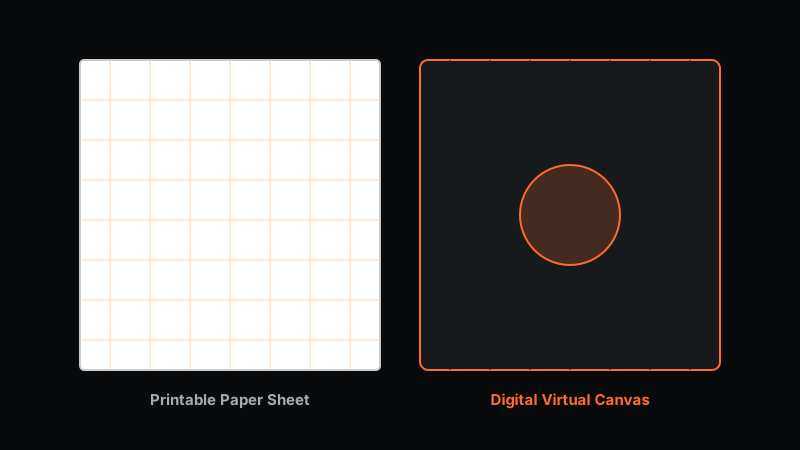
Students, educators, engineers, and designers frequently evaluate a key choice for their workflow: should you use printable graph paper or digital graph paper?
Traditional physical paper pads and printable PDF sheets have been classroom and office essentials for over a century. However, modern web technologies have introduced interactive digital graph paper applications that combine traditional grid structure with computer precision, real-time measurements, and cloud storage.
This guide provides an objective, head-to-head comparison of printable graph paper vs. digital graph paper across 8 critical workflow factors, helping you determine which option best fits your needs.
Key Takeaways & Quick Overview
- Grid Customization: Digital graph paper allows instant cell size switching (1 mm to 50 mm); printable paper requires printing new physical sheets for each scale.
- Editing & Precision: Digital tools eliminate eraser smudges via Ctrl + Z undo history and provide 0.1° angle and length readouts.
- Classroom & Exam Use: Printable physical paper remains mandatory for standardized exams and tactile handwriting practice.
- The Hybrid Workflow: Create drawings digitally with vector precision snapping, then export print-ready 100% scaled A4 PDFs when physical paper is required.
Table of Contents
- Head-to-Head Feature Comparison
- Grid Customization and Versatility
- Measurement Accuracy and Snapping Precision
- Editing Flexibility and Clean Workflow
- When Printable Graph Paper Is the Better Choice
- When Digital Graph Paper Is the Better Choice
- Combining Both Workflows: Digital Creation with PDF Export
- Frequently Asked Questions
Head-to-Head Feature Comparison
+-----------------------------------+-----------------------------------+
|  Printable Graph Paper            |  Digital Graph Paper              |
|                                   |                                   |
|  - Physical paper sheet           |  - Web browser canvas             |
|  - Fixed page borders (A4/Letter) |  - Infinite zoom & pan canvas     |
|  - Tactile pencil & ink writing   |  - Vector grid snapping & HUD     |
|  - Permanent lines (smudge erase) |  - Instant Undo / Redo history    |
+-----------------------------------+-----------------------------------+| Factor / Feature | Printable Graph Paper | Digital Graph Paper Workspace | Winner |
|---|---|---|---|
| Grid Customization | Fixed grid spacing per printed sheet | Adjust grid size (1mm to 50mm) dynamically | Digital |
| Editing & Corrections | Eraser smudges, torn paper | Instant Undo (Ctrl + Z) / Redo (Ctrl + Y) | Digital |
| Measurement Precision | Subject to ruler measurement drift | Automatic 0.1° angle and vector HUD readouts | Digital |
| Tactile Writing Feel | Natural paper feedback with pencil | Requires stylus or mouse interaction | Printable |
| Hardware Dependence | Requires printer & paper ink | Requires computer, tablet, or phone | Printable |
| Sharing & Archiving | Physical filing or scanning photos | Export SVG, PDF, PNG, or JSON files | Digital |
| Classroom Exam Use | Standard for standardized tests | Requires digital device policies | Printable |
| Long-Term Cost | Ongoing paper & printer ink costs | Free web-based software | Digital |
1. Grid Customization and Versatility
Printable Graph Paper
When printing graph paper, you must select a single grid configuration before printing (e.g., 5 mm metric grid on A4 paper). If your next assignment requires a 1 mm engineering grid or an isometric 3D grid, you must print an entirely new batch of paper sheets.
Digital Graph Paper
A web-based workspace like Virtual Grid Paper allows you to alter grid parameters on the fly:
- Adjust grid size from 5 mm to 20 mm instantly without redrawing your work.
- Change major grid accent intervals (e.g., every 5th or 10th grid line).
- Toggle grid visibility ON or OFF when exporting presentation graphics.
- Switch between dark mode (high contrast night drawing) and light mode.
2. Measurement Accuracy and Snapping Precision
Printable Graph Paper
Drawing geometry on physical paper relies on manual rulers and handheld protractors. Human error, pencil lead thickness, and slight ruler slips inevitably introduce measurement drift.
Digital Graph Paper
Digital graph paper eliminates measurement error through vector grid snapping:
- Line endpoints, polygon vertices, and circle centers snap automatically to exact grid intersections.
- The heads-up display (HUD) provides live numerical readouts of line lengths, angles, and vector magnitudes as you move your cursor.
3. Editing Flexibility and Clean Workflow
Correcting Mistakes Workflow:
Printable: Erase graphite -> Re-draw line -> Smudge residual graphite -> Paper thins
Digital:   Press Ctrl + Z -> Line vanishes -> Click exact grid point -> Clean drawing
On physical paper, correcting complex geometric figures with an eraser leaves smudges, weakens paper fibers, and damages grid lines. On digital graph paper, mistakes are corrected instantly using full undo/redo history, keeping your workspace clean.
4. When Printable Graph Paper Is the Better Choice
Despite the technological advantages of digital software, physical printable graph paper remains superior in specific scenarios:
- Standardized Exams: Academic examinations and standardized testing environments strictly prohibit digital devices, requiring traditional paper and pencil problem-solving.
- Tactile Memory & Handwriting Development: Young students learning geometry often benefit from the tactile feedback of holding a physical pencil and ruler.
- Field Sketches Without Devices: On construction sites or remote outdoor field surveys where electricity and screens are impractical, a physical clip-board paper pad remains unmatched.
If you need physical grid sheets, follow our step-by-step tutorial on how to print graph paper at home with exact 100% physical scale calibration.
The Best of Both Worlds
Want the accuracy of digital drawing with printable PDF exports?
Construct diagrams on screen and export 100% scaled A4 PDFs with Virtual Grid Paper.
5. When Digital Graph Paper Is the Better Choice
Digital graph paper is the clear choice for modern technical workflows:
- Remote Learning & Digital Homework: Students can draw diagrams on screen and submit clean PDF or PNG files via email or educational portals.
- Engineering & Architectural Concepts: Designers can sketch initial concepts, verify angles and vector forces, and export scalable SVG vectors for CAD software import. Read our guide on graph paper for engineering and technical drawing.
- Cost & Sustainability: Eliminates paper waste, printer ink consumption, and physical notebook storage clutter.
6. Combining Both Workflows: Digital Creation with PDF Export
You do not have to choose strictly between digital and physical graph paper. Modern platforms bridge both worlds.
With Virtual Grid Paper, you can construct geometric diagrams digitally using vector precision snapping, and then click Export > PDF Document to generate a print-ready A4 sheet. You get the accuracy of digital drawing combined with the option of physical paper printouts whenever needed.
The 30-Second Decision
If you are still unsure, answer one question: will anyone grade, measure on, or hand-annotate the sheet without a device?
- Yes — print it. Exams, young learners, and field work still belong on paper.
- No — draw it digitally. Homework you submit as a file, concept diagrams, and anything you will revise benefit from undo/redo and snapping.
- Both at different stages — draw digitally, then export a 100% A4 PDF when a physical copy is needed. This is the workflow most students and engineers settle into.
Related Guides
- How to print graph paper at home
- Graph paper for engineering and technical drawing
- Digital vs. physical drawing grids
Frequently Asked Questions
Is digital graph paper better than printable graph paper?
Digital graph paper is superior for precision geometric snapping, live measurements, infinite canvas space, error-free undo/redo, and vector file sharing. Printable paper remains ideal for tactile handwriting, low-tech classrooms, and physical exam situations.
Can I convert digital graph paper drawings into printable PDFs?
Yes, platforms like Virtual Grid Paper allow you to create drawings digitally and export print-ready A4 PDFs scaled at 100% actual size for home or office printing.
Does using digital graph paper require expensive hardware?
No, web-based digital graph paper tools run directly inside standard web browsers on laptops, Chromebooks, tablets, and desktop computers without specialized hardware.